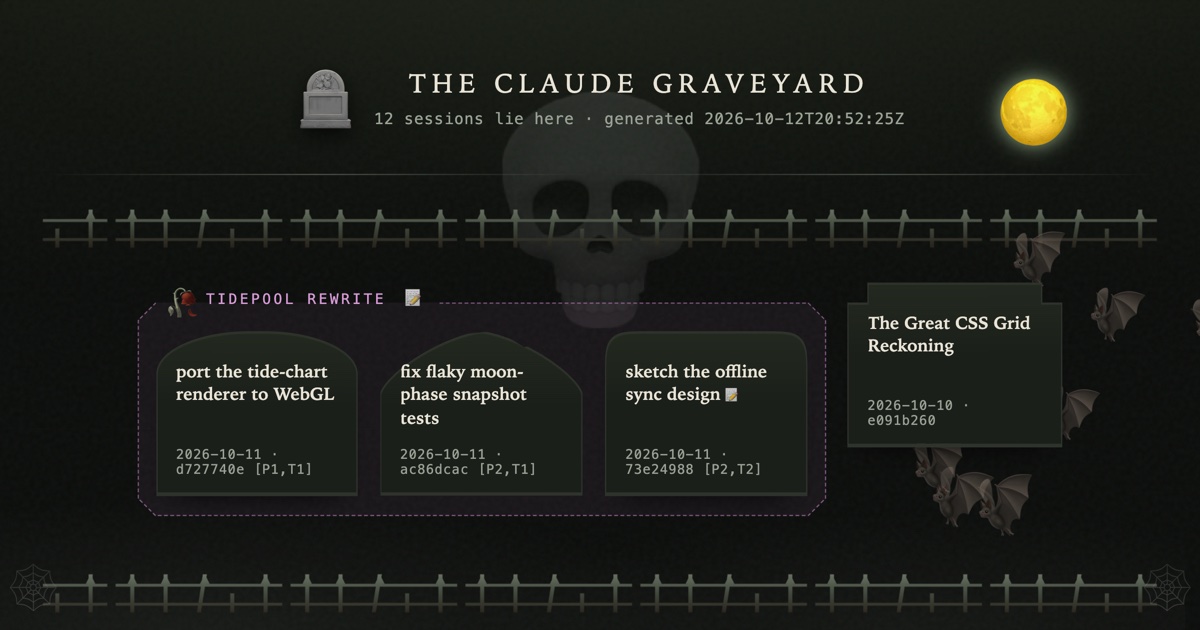
I had 57 Claude Code sessions open, holding almost 6 GB of RAM between them, and my 64 GB Mac was swapping itself to death. Most of them were done. I just couldn’t bring myself to close them.
The why
Some of them I kept for their spot in my terminal’s sidebar. That workspace name was my reminder that the work existed. But a lot of them I kept for their context. Take the session that built a feature and opened the PR. When review feedback came in, I wanted that agent, with everything it already knew, to validate the feedback (or explain why some of it had already been considered and thrown out). Or work I’d started and then stalled on when other priorities came along. The longer it sat, the harder it was to justify picking it back up, and the harder it was to close the pane.
Killing a claude process doesn’t delete its conversation; the transcript is already on disk, and claude --resume <id> brings it back. But keeping the process alive doesn’t protect that transcript, either. Claude Code cleans up old session files after 30 days of inactivity (cleanupPeriodDays), and that clock runs whether the process is alive or not. So all that RAM wasn’t even protecting the context I was holding onto it for.
So I built a place to put them. graveyard buries an idle session: it archives the transcript and enough metadata to find it again, then closes the pane. Later I can list what’s buried, search it, and resurrect any of it back into the same directory, picking up the same conversation. Even when --resume can’t find the session anymore, the archived transcript gets a fresh agent back up to speed. That gave me the peace of mind to actually bury them.
What it is
It does three things, and all three work off the same index file:
- Bury a session: records who it is and where it lived, archives its transcript, closes its pane. The record is a tombstone.
- Browse the graveyard:
lslists tombstones,searchmatches them on title, directory and summary. - Resurrect a tombstone: opens a new pane in the session’s original directory and runs
claude --resume <id>(orcodex resume <id>).
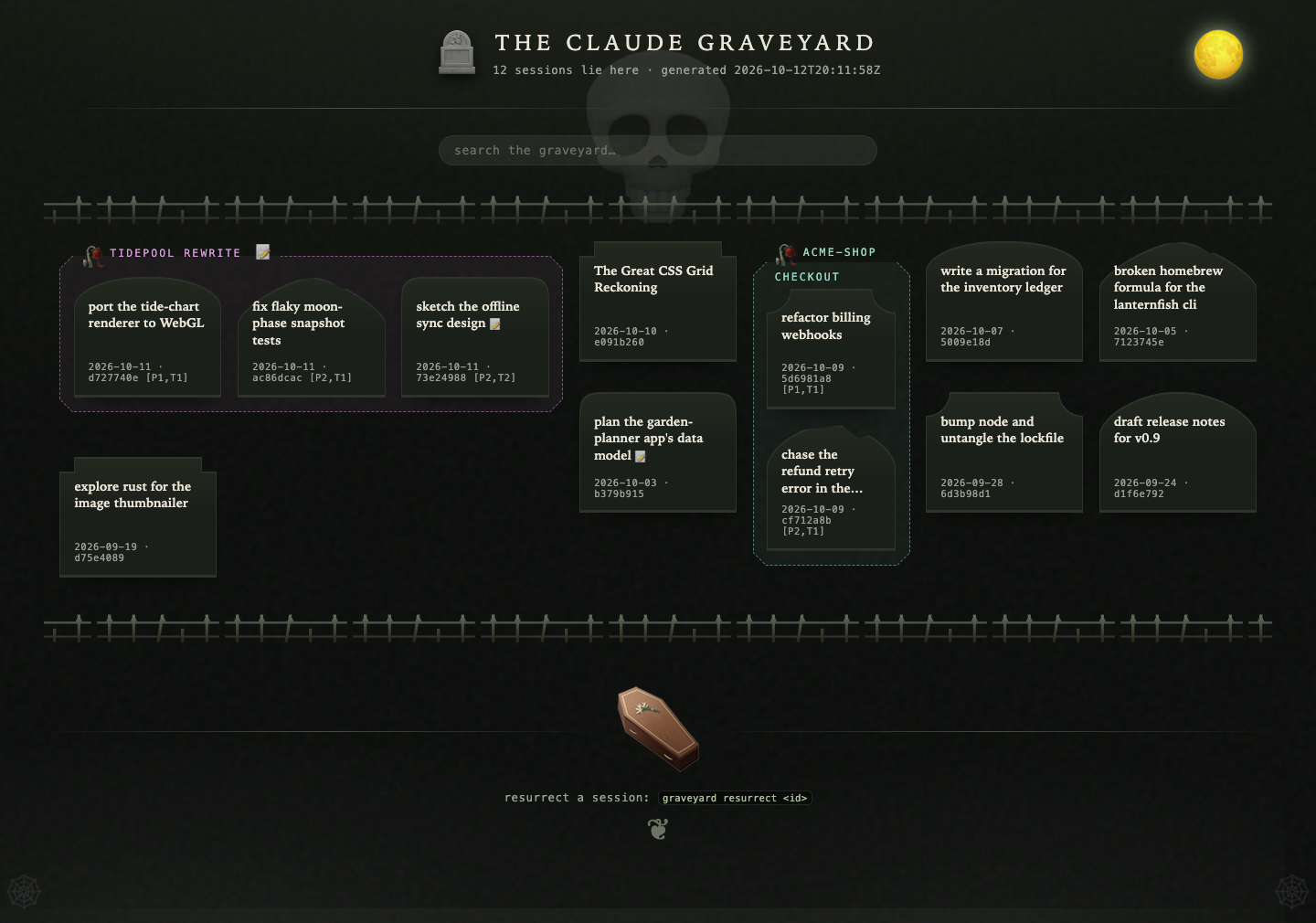
That’s v1, and it’s a weekend build. Everything else in mine (burying whole workspaces, a local model guessing which sessions are done, notes, an HTML page of headstones) is a layer on top, and the build order below adds them one at a time.
This is a blueprint, not a product.
Same deal as the agentic pipeline post and dirmap + goto. My graveyard is a big PHP tool wired into the two multiplexers I use, and you probably don’t want it. You want to know how it works and what broke along the way, so your agent can build you one for your setup.
The core loop (the spec)
The store
One directory (mine is ~/.claude-graveyard/, overridable with an env var):
~/.claude-graveyard/
├── index.json                 # every tombstone, one entry per session id
└── sessions/<session-id>/
    ├── meta.json              # the tombstone, duplicated next to its transcript
    └── transcript.md          # rendered, human-readable conversationCode language: PHP (php)
A tombstone carries:
session_idandagent(claudeorcodex)cwd, the directory the session was launched inworkspace_titleandtab_title, the workspace and tab names your terminal multiplexer showed for the session (cmux and herdr, in my case; more on those below)summary, a short snippet: the first prompt or the last assistant messageburied_atandlast_active- the launch flags you’ll need to bring it back the way it was (model, permission mode)
- where it lived (workspace/pane ids), so resurrect can try to put it back
The index is keyed on session id, and writing to it is an upsert. Burying the same session twice updates one entry.
Bury
- Resolve the target to exactly one live session (by session id, id prefix, or a title substring).
- Refuse if it looks busy (design rules below).
- Archive the transcript into the store.
- Check the archive belongs to this session (its latest turns are in it).
- Write the tombstone.
- Kill that session’s process tree, confirm it’s gone, and close its pane.
Most of the design rules below are about steps 1, 2, 4 and 6.
Browse
ls prints tombstones newest-first: title, directory, idle-at-burial, summary, and the exact resurrect command. search <term> matches the same fields, case-insensitive. Give both a --json mode so your agent can use them without scraping. (Mine also has --full-text, which greps the archived transcripts.)
Resurrect
- Resolve the tombstone (id, prefix, or name; ambiguous matches get listed, never picked).
- Open a pane in the tombstone’s
cwd. Put it back in its original workspace if that still exists, otherwise make a new one with the old name. - Run
claude --resume <session-id>with the recorded flags. For Codex,codex resume <session-id>. - If the agent’s own session file is gone (that 30-day cleanup), start a fresh session and hand it the archived transcript to read and pick up from.
The cwd matters here. Claude Code files sessions under a per-project directory, so --resume run from the wrong directory won’t find the session at all.
The multiplexer is an adapter
I run graveyard against cmux (a macOS terminal built for running AI coding agents) and herdr (a terminal multiplexer whose panes keep running after you close the laptop). You might have tmux, zellij, or nothing. The core loop needs only a handful of operations, so spec those as an interface and write one implementation per multiplexer:
| Operation | What it returns / does |
|---|---|
list_sessions() | Live agent sessions: session id, agent, pid, cwd, titles, idle time, and an opaque handle for the pane |
read_screen(pane) | The visible text of a pane, or a distinct failure value (see the busy rule) |
close(pane) | Close the pane (and the workspace, if it’s now empty) |
spawn(cwd, title, command) | Open a new pane in a directory and run a command in it |
self() | The pane graveyard itself is running in, if any |
No multiplexer at all? list_sessions() can come straight from the OS: find running claude/codex processes, and map each pid to its session (Claude Code writes ~/.claude/sessions/<pid>.json with the session id). spawn becomes “print the command for me to paste.” That’s a perfectly good v1.
Keep the handles opaque. Nothing outside the adapter should parse a pane ref, because every multiplexer shapes them differently and some renumber them as panes open and close. Mine has a test that runs every transport through the same contract.
Design rules
These are lessons learned. Most of them came from something actually going wrong, and they’re pinned by tests in my repo.
Know exactly which session you’re touching
- Target a session by its session id. Never by tty, pane number, position or title. cmux recycles tty numbers, so the tty a session lived on a minute ago can be hosting a different live session now. Pane refs get renumbered as other panes close, so in a batch bury, item 3 could land on a different pane than the one you listed. Resolve to a session id up front, and re-resolve each target by that id right before you act on it.
Four more (your agent will want these)
- Prove the target again at every destructive step. Mine checks three times, no matter how the target was found. Before archiving: the pane shows an idle agent whose working directory matches the recorded one. After archiving: the saved transcript contains this session’s most recent turns. (Compare the tail, with whitespace and markdown normalized. I used to match the first prompt, which false-aborted sessions that opened with a slash command, and a compacted session doesn’t have its first turn anymore.) Before killing: the pid’s own session file names the target. Any failed check leaves the session alive and says why, so the worst a bad match can do is print an error.
- Get the session id from the process, not the command line. Resuming a transcript that another live session already holds forks a new id, and both transcripts keep growing. The id that counts is the one the running process reports for itself (Claude Code writes it to
~/.claude/sessions/<pid>.json). - When you can’t bind a session to its pane exactly, say so. Bind through an identifier the agent process actually carries. Mine once relied on a launcher side effect that the multiplexer quietly stopped producing, and only 6 of about 30 sessions bound. A row you can’t bind gets shown as “untargetable” with the reason, never guessed at. Same for names:
resurrect tailscalewith two matches prints both and stops. - Find a pane you just created by the id the multiplexer hands back, never by its title. My resurrect once looked up its new workspace by title and took the first match. That was the old workspace, still alive, so it typed
claude --resume …into a live agent’s prompt. Now it diffs workspace ids before and after creating one, and it never types into a surface that isn’t a confirmed idle shell.
Decide whether it’s safe
- Never bury a busy session without
--force, and no evidence counts as busy. A session is busy if it’s been active recently or its screen shows an active turn. Mine used to get an empty string back both when the pane was blank and when the screen read failed, so the busy check couldn’t tell “nothing happening” from “I don’t know.”read_screenhas to keep those two answers separate, and “I don’t know” means don’t bury. Unknown idle time works the same way. A session whose idle time can’t be measured gets left out of sweeps instead of counted as idle.
Four more (your agent will want these)
- Never bury yourself, and guard it two ways. The session running graveyard (often your agent) gets filtered out of every list. Mine first identified itself only from the multiplexer’s pane env var. When that var was missing, the guard filtered nothing, and an agent running
bury --idle -yburied itself mid-command. The second path is process ancestry plus the caller’s own session id. - Measure idle time from the last real user or assistant turn, not the file’s modified time. Housekeeping jobs touch transcript files, and sessions that had been idle for hours looked fresh.
- Every agent type gets the same safety path. A live Codex session has no Claude statusline, so mine once classed it as a plain shell and closed it with no archive at all. If you support more than one agent, anything you don’t recognize should be left alone, because the fallback path is where the damage happens. Resurrect also has to restore each agent’s own settings: mine dropped Codex’s sandbox and approval flags, which silently widened a restored session’s permissions.
- An unattended bury never blocks on a prompt. Mine offers to open a notes file after a bury. Under
-y, with machine-readable output, or with no tty, it skips the offer, because an editor opened in the middle of an agent’s command hangs that agent until something kills it. Confirmations work the same way: no tty and no-ymeans no.
Keep the record honest
- All views read ONE annotated accessor.
lsandsearchonce shared a renderer and still disagreed:lsshowed the “this session is running again” marker andsearchsilently didn’t, because each read the index on its own and onlylsadded the live flag. A shared renderer wasn’t enough. Every view (text,--json, the HTML page) reads one function that has already loaded and annotated the records, so a new field lands everywhere at once. Pin it with a test that the views agree, not just that each one works.
Four more (your agent will want these)
- Teardown kills the whole process tree and checks that it worked. The pid on file was a wrapper, so the agent kept running (and holding RAM) after a “successful” bury. Kill the tree, escalate from SIGTERM to SIGKILL, and check that the process is actually gone. My bury exited cleanly and reported success the whole time that agent was still running.
- Archiving shouldn’t touch the session. My first version typed
/exportinto the live REPL. It needed the session alive and idle, and it added a turn to the very conversation it was archiving. Now it renders the transcript straight from the session’s JSONL file, which works on dead sessions too and takes about 100ms. If you do have to type into the REPL, clear any half-typed input first, submit with a real Return key event (sending"\n"only inserts a newline), and wait for the file size to settle. - The HTML page works with no multiplexer running. Once that accessor started checking liveness, my HTML page (which runs with no multiplexer behind it) crashed on every render. Every unit test had a fake multiplexer wired in, so only running the real thing caught it. Same goes for the destructive paths: mine had a test that checked the binding and passed, while the real bury refused every time. Test those by actually running them.
- Resurrect keeps the tombstone, and identity survives the round trip. A resurrected session can go idle and get buried again, so the record stays and
lsmarks it as running again (mine uses↑). When I added that marker, 7 of 78 “buried” sessions turned out to be running. Re-burying a resurrected workspace should reuse its group id: mine minted a fresh one every time, so four buries left three dead manifests, and resurrecting by an old id restored 0 sessions.
Build order
Smallest working loop first. Stop after each step and see it working before you go on.
- Bury, ls, resurrect for one session by session id. Store, tombstone, upsert, resume in the right
cwd. - Safety: the identity checks, the busy check, idle from real turns, the self-guard (both paths), process-tree teardown,
--force. - Candidates and search:
candidateslists live sessions sorted by idle time (my favorite verb),searchand--jsonon everything, and the one shared accessor behind all of it. - Workspace burial. Bury a whole workspace as a group (a “plot”): a shared group id, plus a layout manifest of tab order, pane positions and each surface’s cwd or URL. Resurrect rebuilds the layout and resumes each member in its slot. If the target multiplexer can’t hold everything (herdr panes are terminals only, so browser panes don’t survive), name exactly what will be lost and ask first.
- Verdicts on
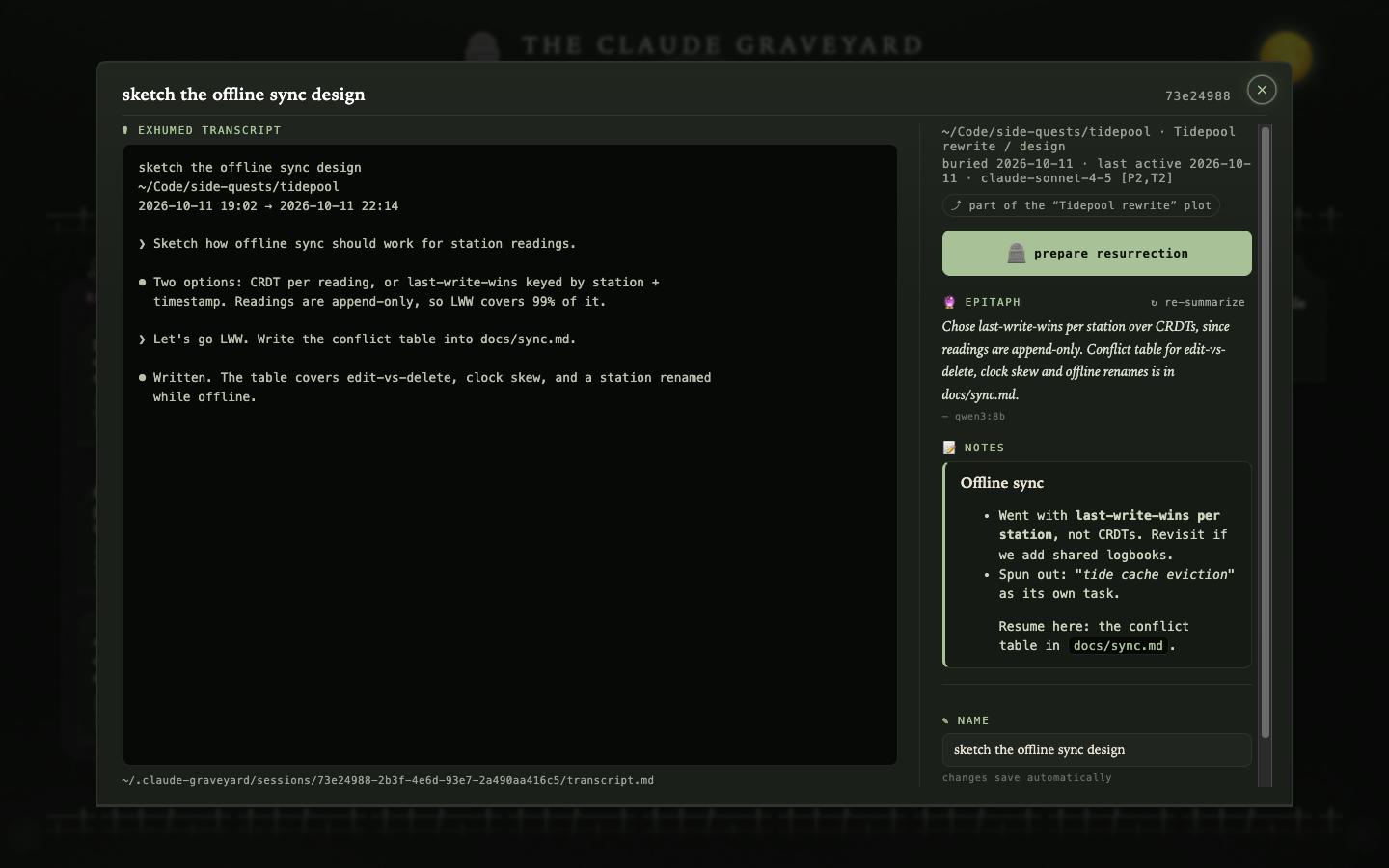
candidates. A local model reads each session’s last assistant message and labels it done / waiting on you / working, with a confidence. Confident “done” rows sort first. Cache the verdict per message, and keep no message text in the cache. A verdict is a ranking hint, never an action. Mine is wrong about 1 time in 20 (“nudge me when X and I’ll do Y” reads as done), so it never buries anything or skips a confirmation on its own. - Notes. A free-form
NOTES.mdper buried session or plot, for what the transcript can’t hold: the Slack thread where the follow-up happened, the issue it spun out, “resume here next.” Search covers it. - The page. A localhost-only HTML view of the whole graveyard (mine draws headstones), rendered fresh from the store on every request, reading the same accessor as
ls. It should work with no multiplexer running at all. - A second adapter, if you run more than one multiplexer. Discovery reads all of them as one list, and bury drives whichever one reported the session.
If you only steal one piece, steal the core loop plus candidates. Seeing every idle session in one list, sorted by how long it’s been idle, is what got me to actually close them.
Acceptance checklist
- ☐ Bury a session: its pane closes, its process is gone, and
lsshows its tombstone with a summary and resurrect command - ☐ Resurrect it: a new pane opens in the original directory and the conversation picks up where it left off
- ☐ Delete the agent’s own session file, then resurrect: a fresh session starts from the archived transcript
- ☐
lsandsearch --jsonshow the same fields for the same tombstone, including whether it’s running again - ☐ Try to bury a session mid-turn: refused. With
--force: buried - ☐ Make the screen read fail: the bury is refused, not waved through
- ☐ Point bury at a pane that now hosts a different session than the one you named: refused, and both sessions stay alive
- ☐ Run graveyard from inside an agent session: that session never shows up as a candidate
- ☐ Unset the multiplexer’s pane env var and run
bury --idle -yfrom inside an agent session: it still doesn’t bury itself - ☐ After a bury, the agent’s process (and anything it spawned) is gone, not just its pane
- ☐ Resurrect into a fresh workspace while the old one is still open: the resume command lands in the new pane, never the old one
- ☐ Touch a long-idle session’s transcript file: it still reads as idle
- ☐ Run a bury with no tty: it finishes without waiting on a prompt or an editor
- ☐ An ambiguous
resurrect <name>lists the matches and resurrects nothing - ☐ Bury the same session twice: one index entry
- ☐ If you run Codex too: a live Codex session gets the same checks and archive as a Claude one, and resurrects with its original sandbox and approval settings
- ☐ (Layer 4) Bury a workspace and resurrect it: same tabs, same order, each session back in its slot
- ☐ (Layer 5)
candidatessorts confident-done rows first, and no verdict ever buries anything without you
Steal this tool
Hand this to your own agent:
Read this post: https://dsgnwrks.pro/tools/bury-and-resurrect-claude-code-codex-sessions/
It describes `graveyard`, a CLI that buries idle coding-agent sessions (archive the
transcript, record a tombstone, close the pane), lists and searches them, and
resurrects them later with `claude --resume <id>` or `codex resume <id>` in their
original directory.

I want my own version, built for my setup.

Before you build anything:
1. Read the post's spec, the multiplexer adapter table, and every design rule.
   The reference implementation is bin/graveyard and src/Graveyard.php in
   https://github.com/jtsternberg/Dot-Files if you need to see one working.
   Don't port it; build mine.
2. Interview me, one question at a time: which agent CLIs I run, which terminal or
   multiplexer (tmux, zellij, cmux, none), where the store should live, and what
   language I want it in.
3. Write a plan that maps each adapter operation to my multiplexer, and wait for my OK.

Then build it in the post's build order. Stop after step 1 and show me a session
buried and resurrected before you go on. Write a test for every design rule.

Done when every item on the post's acceptance checklist passes, for the layers
I've asked for.Code language: PHP (php)
Bonus: I had my agent go nuts
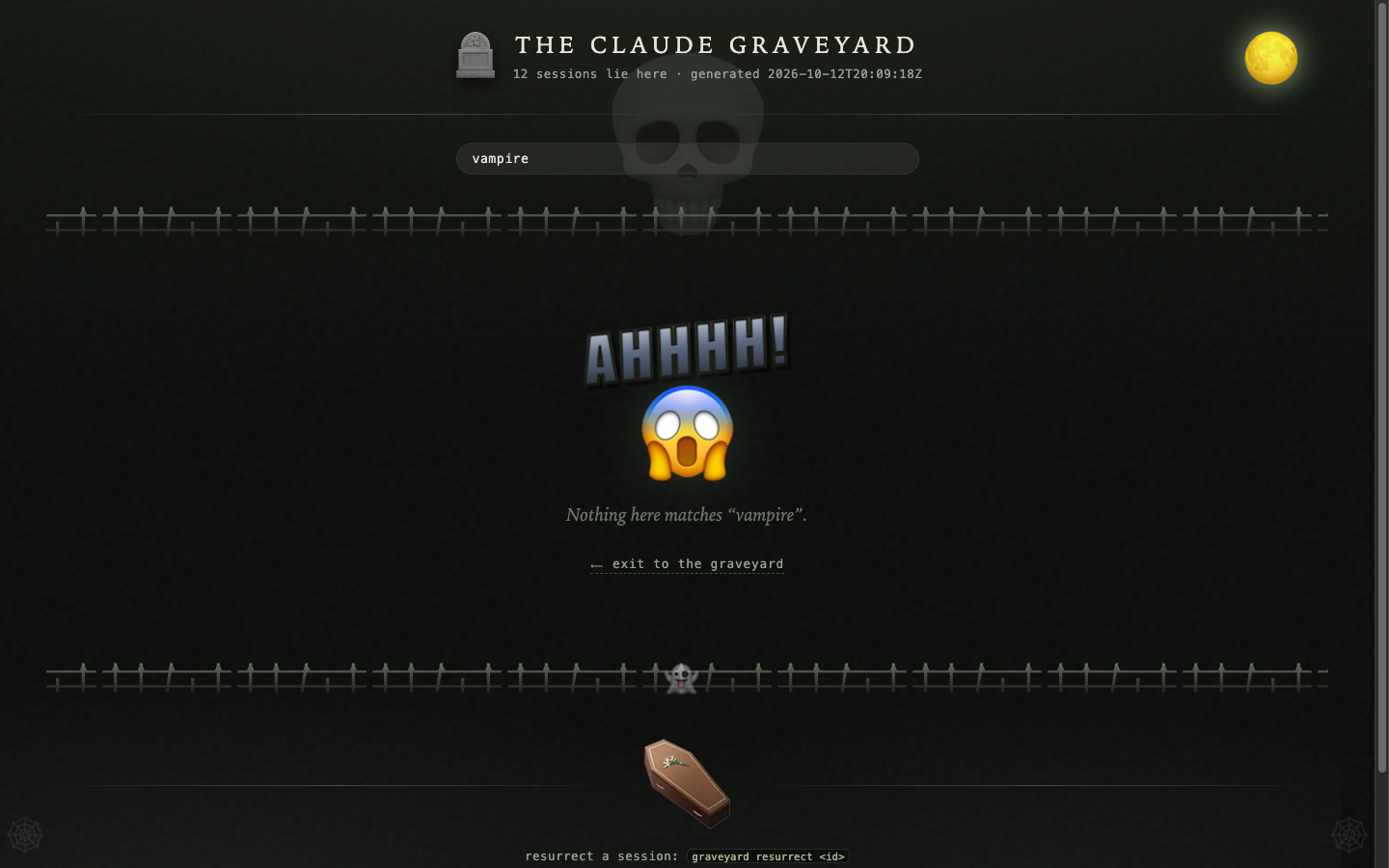
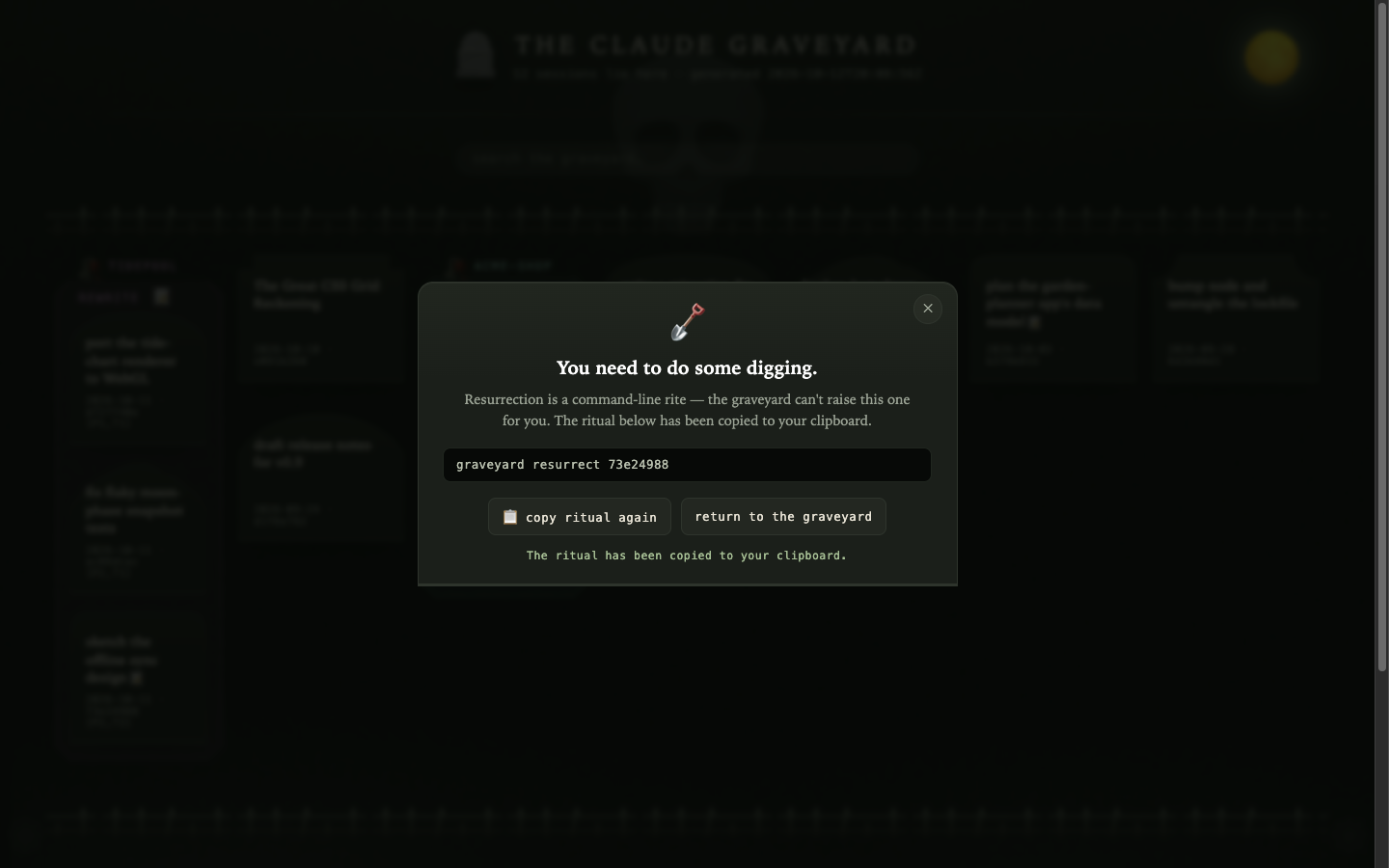
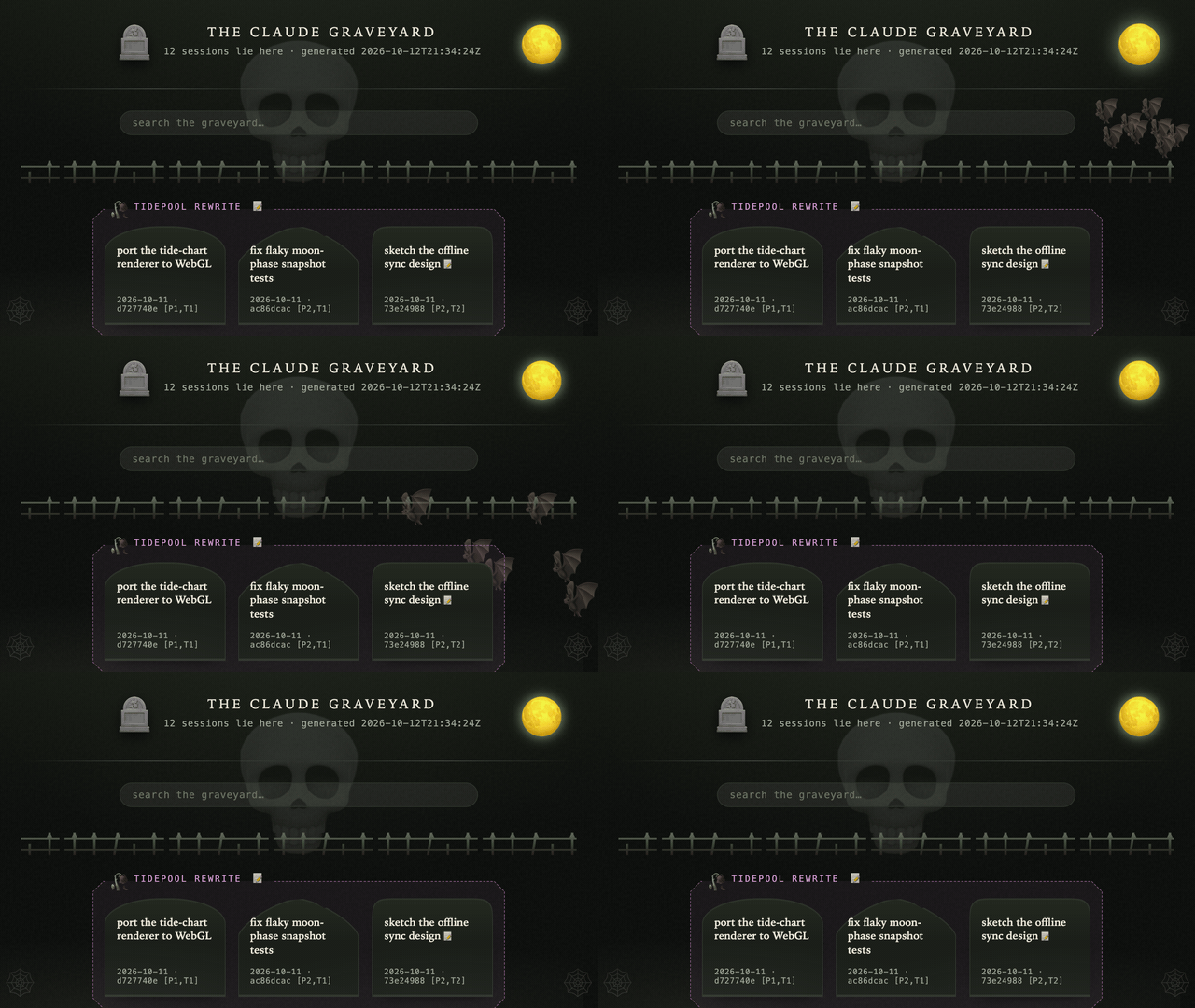
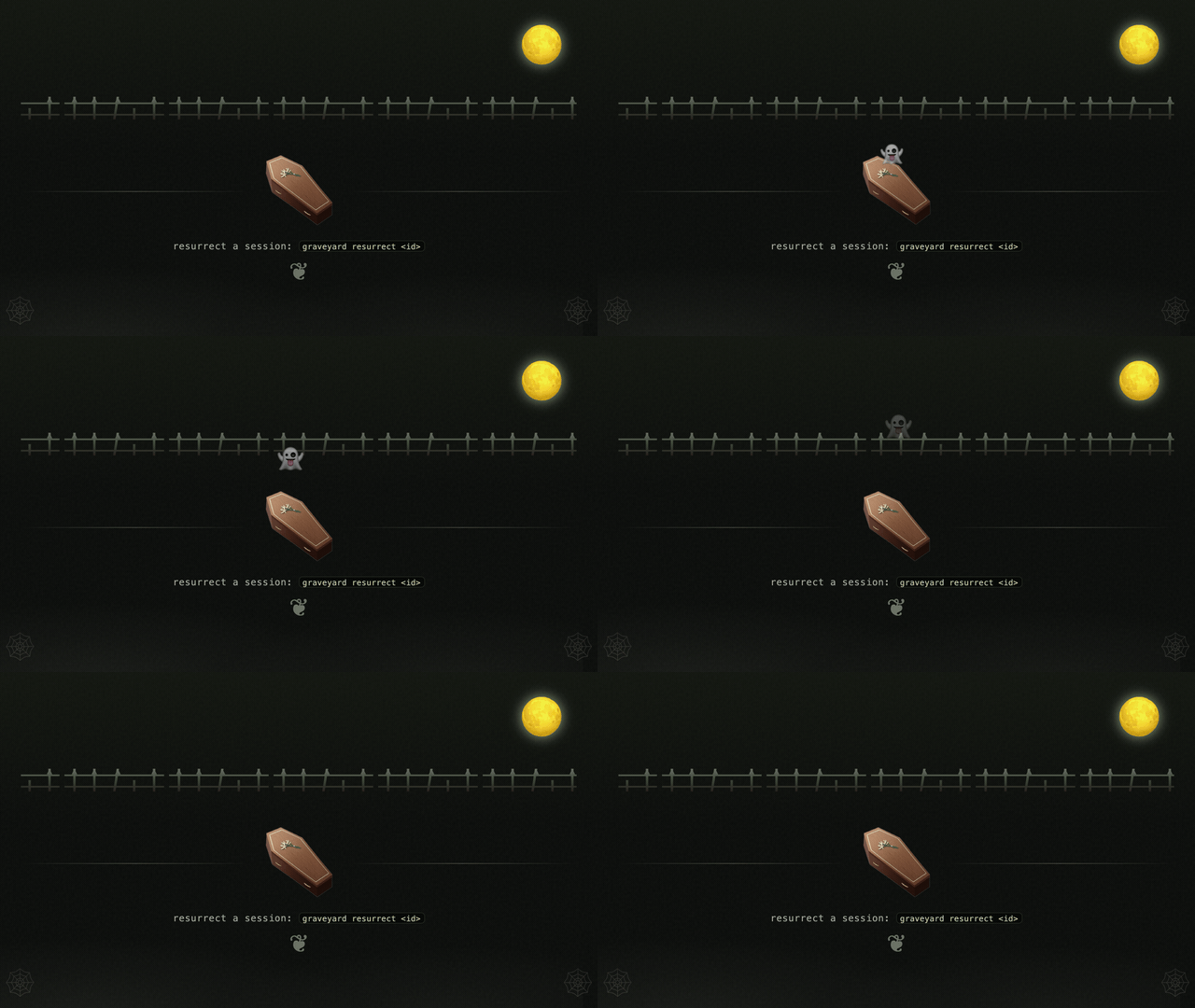
Once the core loop worked, I had my agent go nuts on the HTML page. Click the moon and bats burst out. Hover the coffin and a ghost climbs out. Stones with “bug” or “fix” in the title come out cracked, and a search with no results gets you an AHHHH!. When you get to that step, tell yours to have fun with it. (The sessions in these screenshots are made up.)
Spec derived from my graveyard (bin/graveyard in my public dotfiles). Rebuild it with whatever tools your agent likes.